Your wallet, generated inside Telegram.
Clawd Agents is non-custodial. The bot generates and holds keys for you, but you can export the raw private key any time — it works in any wallet that speaks Solana base58 or EVM hex.
Generate a fresh wallet
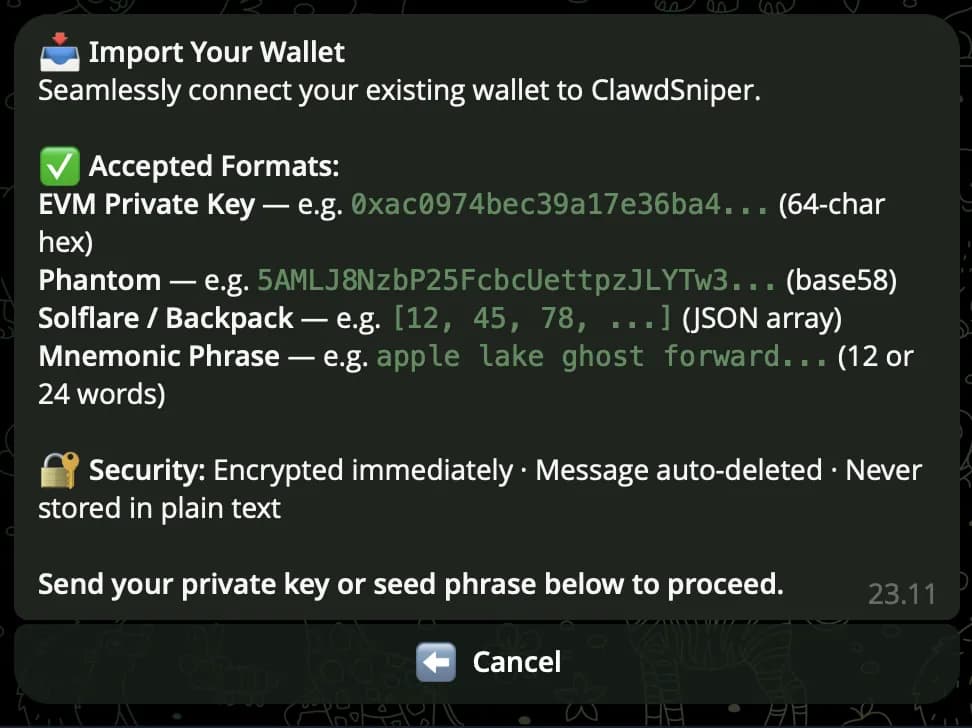
On first /start, the bot offers two paths: Create Wallet or Import Wallet. Tap Create and a fresh keypair is generated client-side. Only the public address gets stored; the private key is encrypted and bound to your Telegram user id before it ever touches the database.
Or import an existing one
Already have a wallet somewhere else? Tap Import Wallet and paste either your private key or your seed phrase (also called a recovery phrase — the 12 or 24 words your wallet showed you when it was first created). Either one works; the bot detects which format you pasted (Solana base58, EVM hex, a Solflare/Backpack JSON array, or a 12/24-word phrase), derives the matching public addresses for every supported chain, and registers the wallet. The plaintext key or phrase is wiped from chat history immediately on receipt — it's never stored raw.
Already using one of these?
Your funds don't move anywhere — you're just handing Clawd the same key that already unlocks your wallet. Open the app, grab your key or phrase, then paste it into Import Wallet above.
- 1.Open Trust Wallet → tap the gear icon (bottom nav), then tap your wallet
- 2.Tap Backup now (or Export Private Key) → confirm you understand the risk
- 3.Enter your passcode/Face ID, then copy the phrase or key shown

- 1.Open Phantom → tap your avatar (top-left) → Settings
- 2.Security & Privacy → Show Recovery Phrase (or Manage Accounts → ⋮ → Show Private Key)
- 3.Enter your password, then copy what's revealed

- 1.Open MetaMask → tap the account selector at the top, then ⋮ next to your account
- 2.Account details → Secret Recovery Phrase (or Show Private Key, if available)
- 3.Enter your password, then copy what's revealed
Using a different wallet app entirely? The steps are almost always the same shape — look for Export Private Key or Show Recovery / Seed Phrase under Settings or Security.
Export the raw key any time
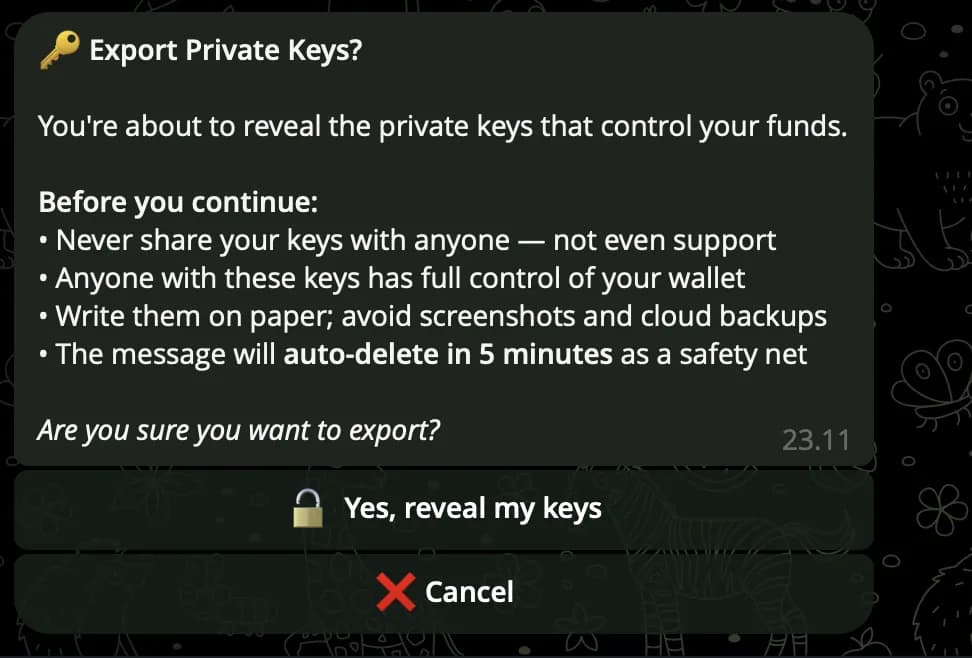
Open /wallet → Export Private Key. The bot reveals the plaintext key in a self-destructing message that auto-clears after 60 seconds. Copy it once into your password manager — that key works in Phantom, MetaMask, Rabby, anywhere.
Rotate the wallet when you want
/wallet → Generate New Wallet replaces the active wallet with a fresh one. The previous wallet stays in your record (you can re-export its key) but no new funds route to it. Useful for compartmentalising trades or starting fresh.
Safety checks
- 01Private keys are encrypted at rest with a Telegram-user-id-derived key — no plaintext in any database.
- 02Decryption only happens on your /wallet → Export request, in-memory, and the response auto-deletes after 60s.
- 03No browser extension, no separate app, no MetaMask popup — fewer surfaces, fewer attack vectors.
- 04You can export and use the key in any wallet you want — the bot doesn't lock you in.
Anyone with your private key has full control of your funds. Never paste it into a website, never share it in DM, never screenshot it. The 60-second auto-delete is a backstop, not a substitute for caution.